Work with Labels
HAPI makes it easier for you to add, replace, and remove labels!
You can search for the labels based on different criteria, like labels in a space, labels created by a certain user, etc.
- Where there are CQL statements in example scripts, you can use any CQL statements to modify the scripts to work for you. Visit the CQL Guide for help with CQL.
- You can use the methods outlined on this page with other HAPI methods.
Add labels
Using HAPI, you can add one or multiple labels designated in the script.
Add a label to a specific page in a space
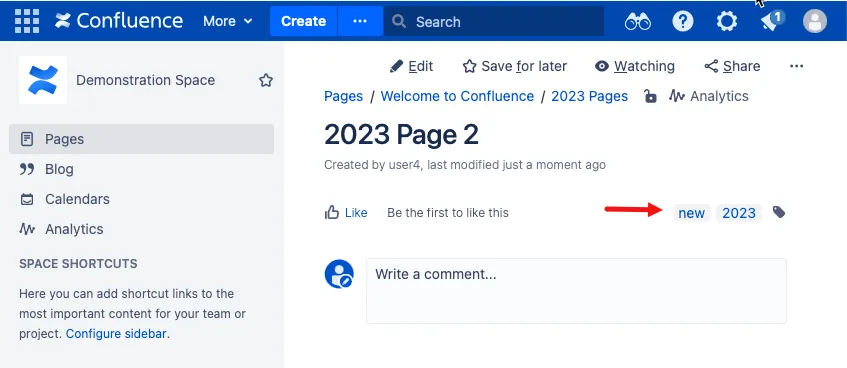
- After runing this script, the 2023 Page 2 in the Demonstration Space (DS) has the new label:
Add labels to pages in a space created by a specific user
Remove labels
Using HAPI, you can remove one or multiple labels designated in the script.
Remove a label from all pages in a space
Remove a label added by a specific user
Replace labels
Using HAPI, you can replace labels designated in the script.
Replace labels on a page
Update labels
Using HAPI, you can update labels by adding, removing, replacing, setting, and clearing labels designated in the script.
Add, replace, and remove labels in the same script
To add, rename, and remove labels to pages in a space, use a script like this:
Pages.search("space = DS").each { page ->
    page.updateLabels {
        add("one", "two", "three")
        replace("one", "ten") //One will be replaced with ten
        remove("ten")
    }
}- To add, rename, and remove labels to pages in a space, use a script like this:
Pages.search("space = DS").each { page ->
    page.updateLabels {
        add("one", "two", "three")
        replace("one", "ten") //One will be replaced with ten
        remove("ten")
    }
}
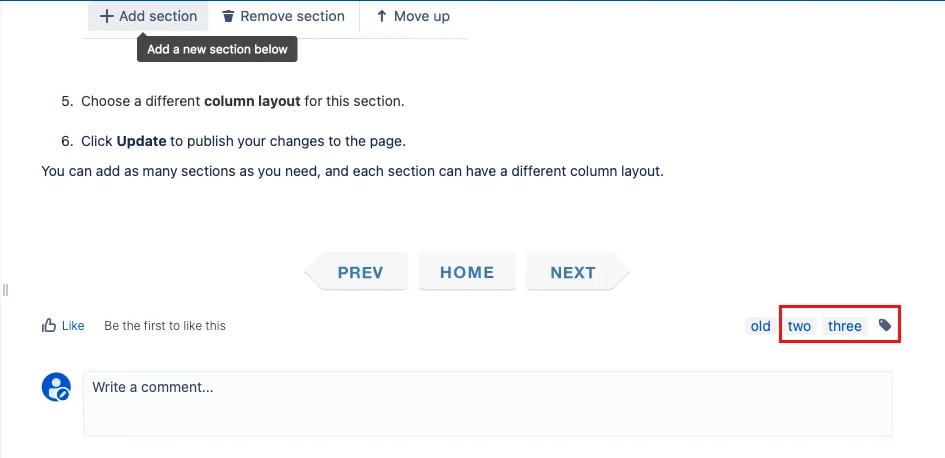
After you run the script, the Demonstration Space ( DS) pages will get the
one,two, andthreelabels added. Then,oneis replaced withten. Then, the script removes the labelten. Ultimately, you are left with the labels two and three on each page. Since theoldlabel was preexisting and not removed in the script, it still exists.