
Built-In Scripts
ScriptRunner built-in scripts are out-of the-box solutions, created by us, made to help you get started customizing, automating, and extending Confluence to suit your needs.
Leverage our built-in scripts to automate manual, complex, and time-consuming tasks. Aimed at users with limited Groovy knowledge, built-in scripts allow you to quickly achieve your goals without having to write Groovy code from scratch.
There are two types of built-in scripts, meant for different types of administrators:
Permissions
You must have administrator rights to use ScriptRunner for Confluence built-in scripts. For more information on each permission type, please visit Atlassian's Global Permissions Overview.
Administrators will find helpful information on permissions in our Settings section of our documentation.
Examples
Built-in scripts have been created for some of the most commonly run tasks in ScriptRunner. For example, we have scripts to:
- Use the Manage Labels script to rename, add, and remove page labels in bulk.
- Make a complete copy of an existing space using Copy Space.
- Switch User to complete tasks as a different user.
- Show all configured ScriptRunner scripts on your instance with the Script Registry.
Browse Built-in Scripts functionality
You can use the Search ScriptRunner Functionality search bar to search the available built-in scripts.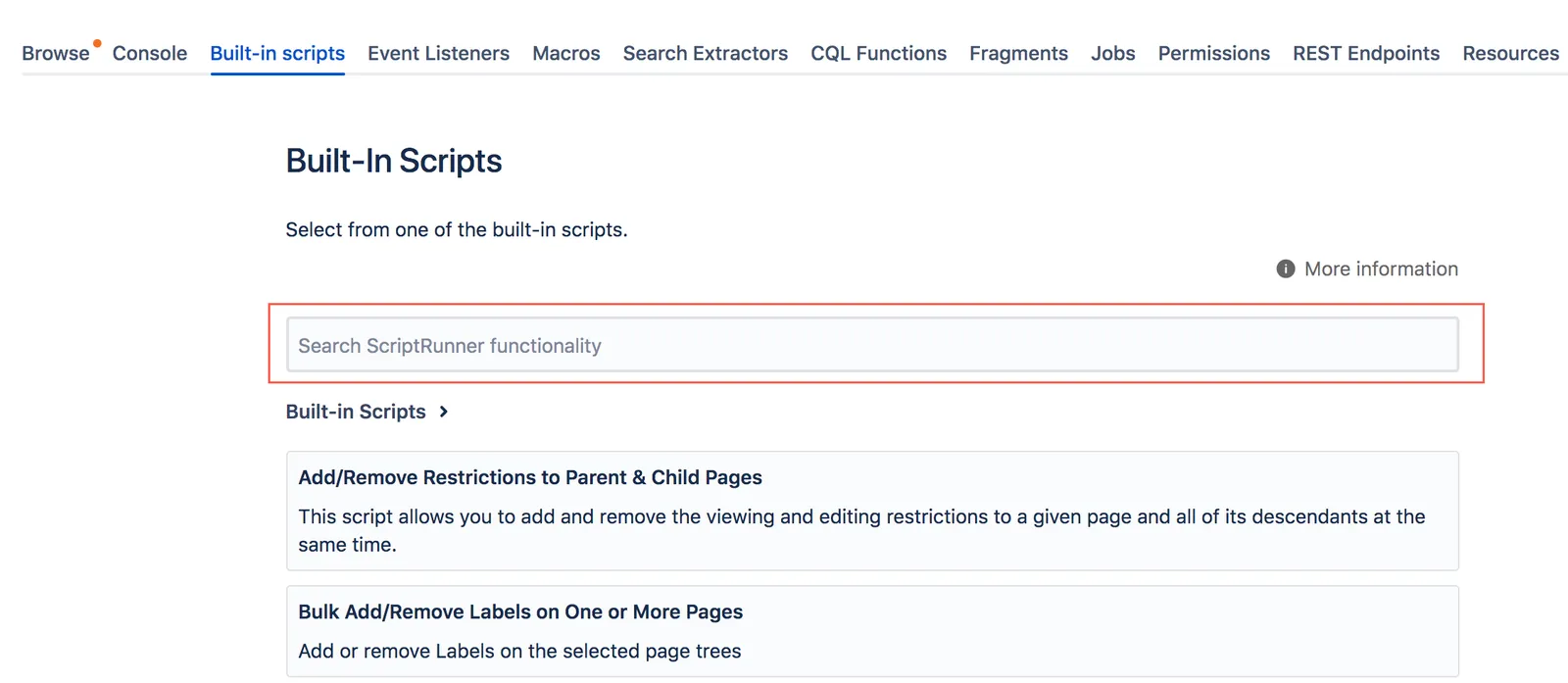
For example, if you're looking for a built-in script that works with restrictions, you could type Restrictions and press Enter. Then, the list of built-in scripts is narrowed to those that contain the word "restrictions" in their title or description.