Audit Logging
The ScriptRunner audit log helps you inspect the script configuration changes made by your users.
The audit log service logs add, edit, or delete operations for ScriptRunner scripts as part of the application audit log. The service also logs execution of built-in scripts that could potentially change the system.
To prevent overwhelming the audit log, the service does not log activities where scripts retrieve data from the system. It only logs activities where the configuration has been changed.
View Audit Log
The Change column starts with ScriptRunner for the ScriptRunner audit log entry. The screenshot below is an example of what the ScriptRunner audit log entries look like in the Confluence audit log.
Disable Audit Log
To disable the audit logging, follow these steps:
- Log in as an administrator.
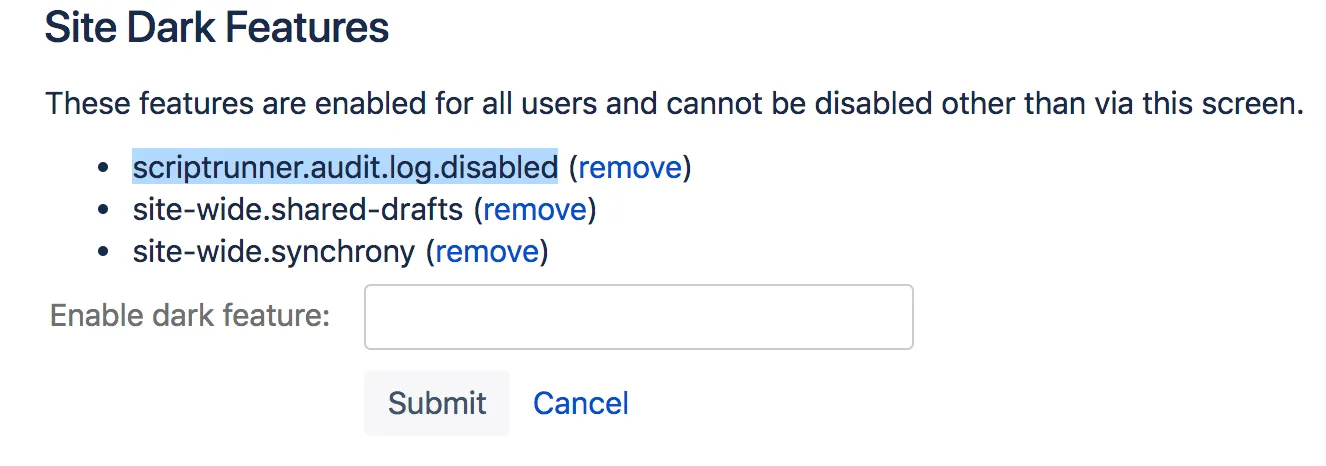
- Go to [BASE-URL]/admin/darkfeatures.action.
- In the Enable Dark Feature text field, add
scriptrunner.audit.log.disabled.
The image below shows the dark feature page after adding the scriptrunner.audit.log.disabled key: