
Script Logs
Information on interacting with logs of the latest exeuctions.
Use Script Logs to view the logs for your latest lambda executions.
Navigation
Navigate to Script Logs using the ScriptRunner menu in Settings:
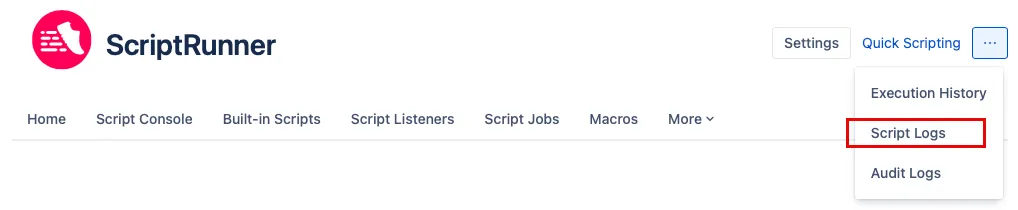
Use script logs
Once you navigate to the feature, you can search for the most recent logs generated by your scripts. Field explanations follow:
Correlation ID: View the script logs for one particular script execution.
Note: Each time a script fails, the notifications group defined in Settings receive a script error notification email containing a Correlation ID unique to each execution of a given script.Script Identifier: View all script logs across many executions for a given script.
Log Message: Find script logs that contain a specific word or text.
From and To Date: Search for script logs between specific points in time.
- Log Level: Select the minimum log level to display. Your options are:
- ERROR: Receive the following types of logs in your report:
error - WARN: Receive the following types of logs in your report:
errorandwarn - INFO: Receive the following types of logs in your report:
error,warn, andinfo - ALL: Receive the following types of logs in your report: All levels
- ERROR: Receive the following types of logs in your report:
Limit: Use to return more script log results.
The following image shows how to navigate to Script Logs:
The following image is an example of the log results: