
Script variables
Script variables allow you can specify variables that can be injected into your scripts.
Script Variables are encrypted and stored in your Confluence Cloud instance. You can use them to share common variables between your scripts or to store sensitive data like passwords that require encryption rather than hardcoding them in scripts directly.
Tip: Remember that variable value has a type
String, even if the value is a number.Variable names must follow these rules:
Start with a letter
Only capital letters are allowed
Only letters, digits, and the underscore character (_) are allowed
Length limit for variable:
Name is 32 characters
Value is 128 characters
Examples
To define a script variable with the name
MY_FIRST_SHARED_VARwith the value'testValue', run the following code:logger.info("My variable has a value: "+ MY_FIRST_SHARED_VAR)You should see the log with the following content:
INFO - My variable has a value: testValueTo define a variable with the name NO_RETRIES with a value of '5', run the following code:
NO_RETRIES + 10The result will be 510 (string concatenation), rather than 15.
Use script variables
- Navigate to ScriptRunner and select Script Variables.
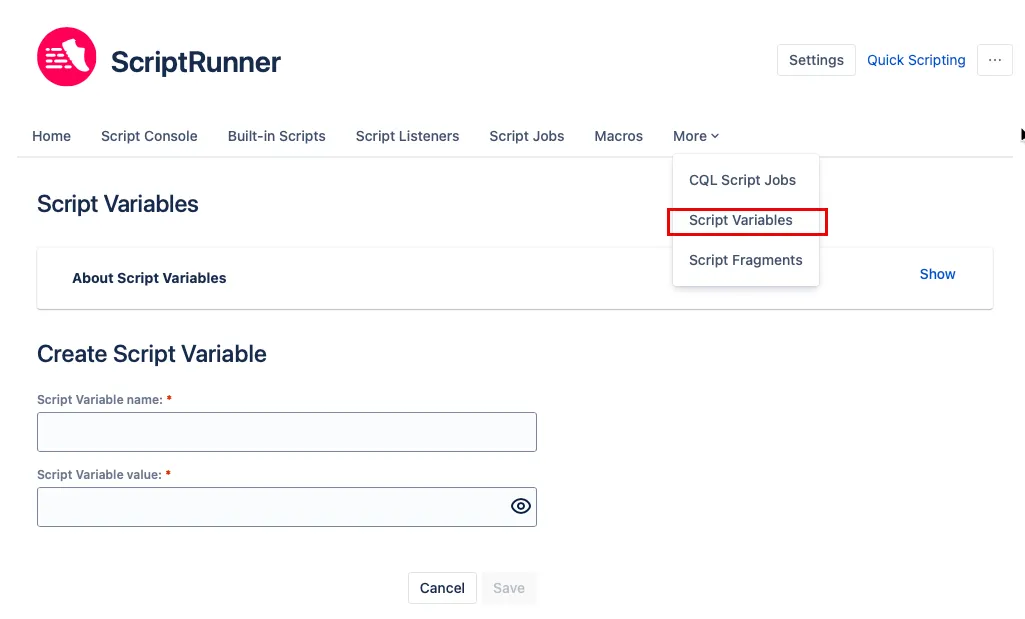
- Enter a Script Variable name.
- Enter the Script Variable value.
- Select Save.