Sharing Board with others
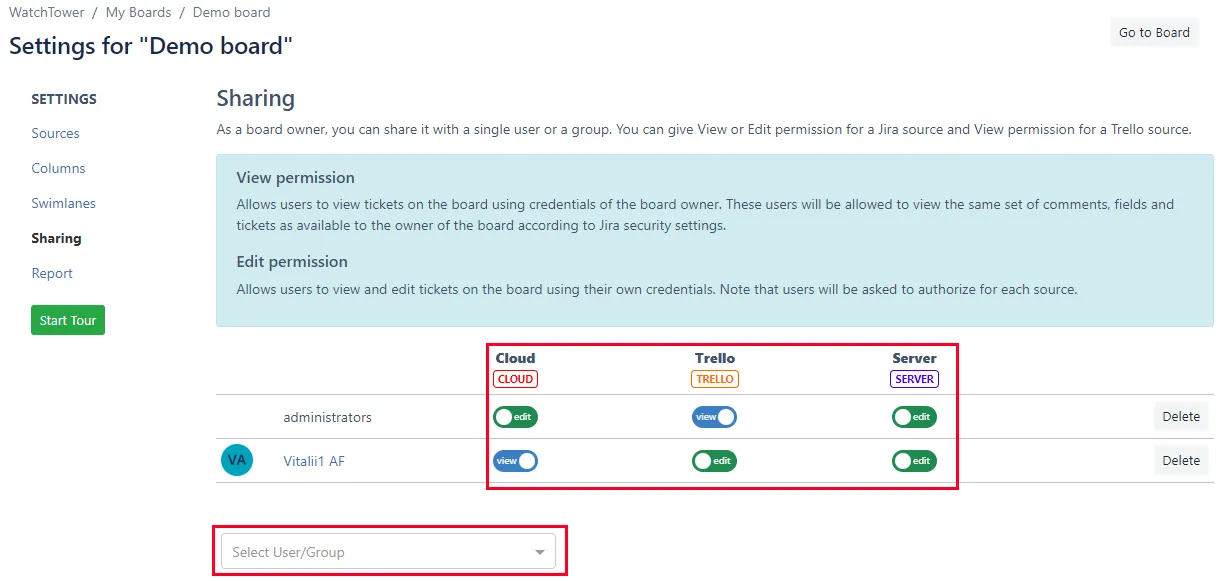
- Navigate to the Board Configuration Screen and select the Sharing tab.
- Choose a user/group from the list of available options.
- For each added user/group, you will need to configure the access level for each source.
- "view" - Allows users to view tickets on the board using the credentials of the board owner. These users will be allowed to view the same set of comments, fields, and tickets as available to the board owner according to Jira security settings.
- edit" - Allows users to view and edit tickets on the board using their own credentials. Note that users will be asked to authorize for each source.
- To Remove users/group from shared users - use "Delete" button.