

Run a Workflow Audit
Run a Microscope Workflow Audit to create a CSV file detailing all workflow functionalities (provided by apps) configured on your instance.
Only administrators can run a Microscope scan.
Navigate to Microscope in the sidebar.
- Select Workflow Audit.
- Click Run Scan.
Your CSV file is downloaded.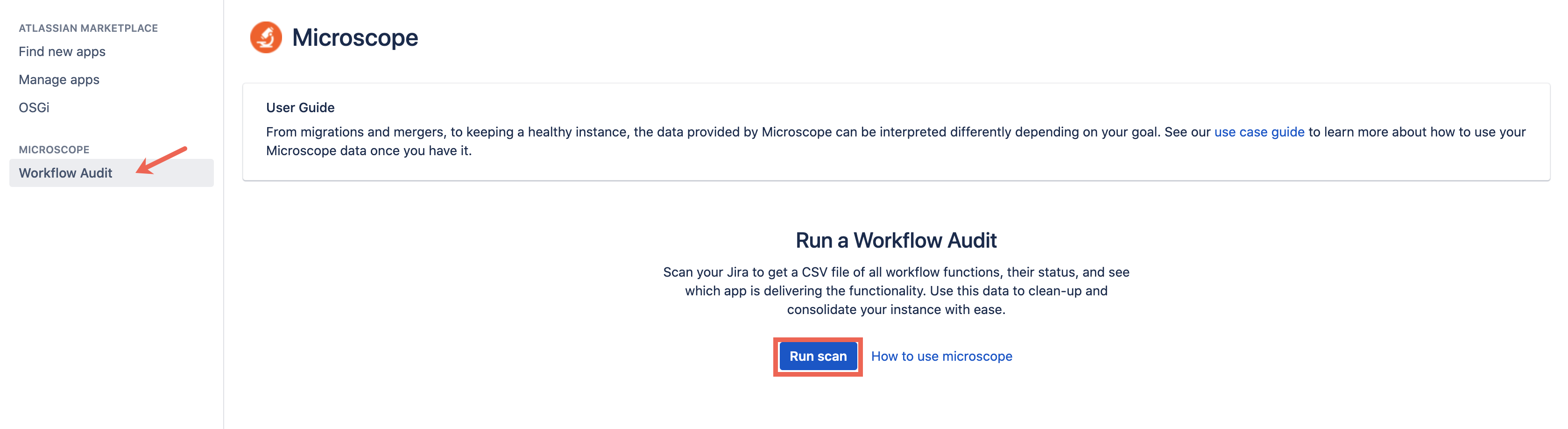
Open your file.
We suggest opening your CSV in a spreadsheet software for easier analysis.
Data provided
| Column | Description |
|---|---|
| Workflow | Name of the workflow function. |
| Workflow Status | If the workflow is currently active or inactive. |
| Transition | The transition on which the workflow function is configured. |
| Type | Function type, for example; validator, post function, or condition. |
| Module | The module providing the function. |
| Plugin | Name of the app providing the function. Plugins showing as Missing Plugin includes disabled plugins as well as uninstalled plugins. |
| URL | URL pointing to the workflow function location in your instance. |